
Software Project Takeover: How to Switch Developers Without Stalling or Derailing



On the surface, everything looked great. You got your brand-new product. It worked. You launched it, and you got your first users.
Then, you start to see hiccups in the development process. Developers ship new features on time, but code quality is getting worse. Or they miss deadlines, and the roadmap becomes unpredictable. Or, you lose weeks of engineering time due to a misunderstanding.
These are just some of the reasons you might consider changing software development teams. But be warned: software project takeover doesn’t equal giving the new team access to your repository and calling it a day.
Here’s how to transfer a software project to a new vendor — without risking delays or misunderstandings.
Why Taking Over an Existing Software Project Is Different
Greenfield development is akin to building on a plot of undeveloped land. You don’t have to work around the constraints of existing infrastructure. You can build whatever you want, however you want to.
When you transition a software project to a new team, however, it’s like asking developers to expand an existing building. The wiring is already in place. Changing the floor plans means taking a hammer to the walls.
In greenfield projects, developers own all the technical decisions. Following a software project takeover, they inherit those decisions from their predecessors, along with:
- Bugs and technical debt
- Product assumptions
- Deployment processes
- Documentation (or lack thereof)
- Dependencies
- Infrastructure
When Should You Consider Changing Your Development Team?
Let’s not mince words: any transition to a new development team can be risky. But a software project takeover is worth the risk if you see one or more of these signs during development.
Missed Deadlines
The feature that was supposed to be shipped last week is still not ready for production. The roadmap exists, but no one trusts it anymore. Possible causes are many, but the result is the same: unpredictable delivery, unhappy investors, and missed opportunities.
Poor Communication
You know the team should be working on the new analytics dashboard, but you don’t get consistent updates on their progress. Whenever you send an inquiry, you don’t hear back for days, and answers are often vague.
Declining Code Quality
You get your deliverables on time, but they’re riddled with bugs that come out in production. So, the team spends most of their time on hotfixes instead of moving on to the next item on their to-do list.
Growing Technical Debt
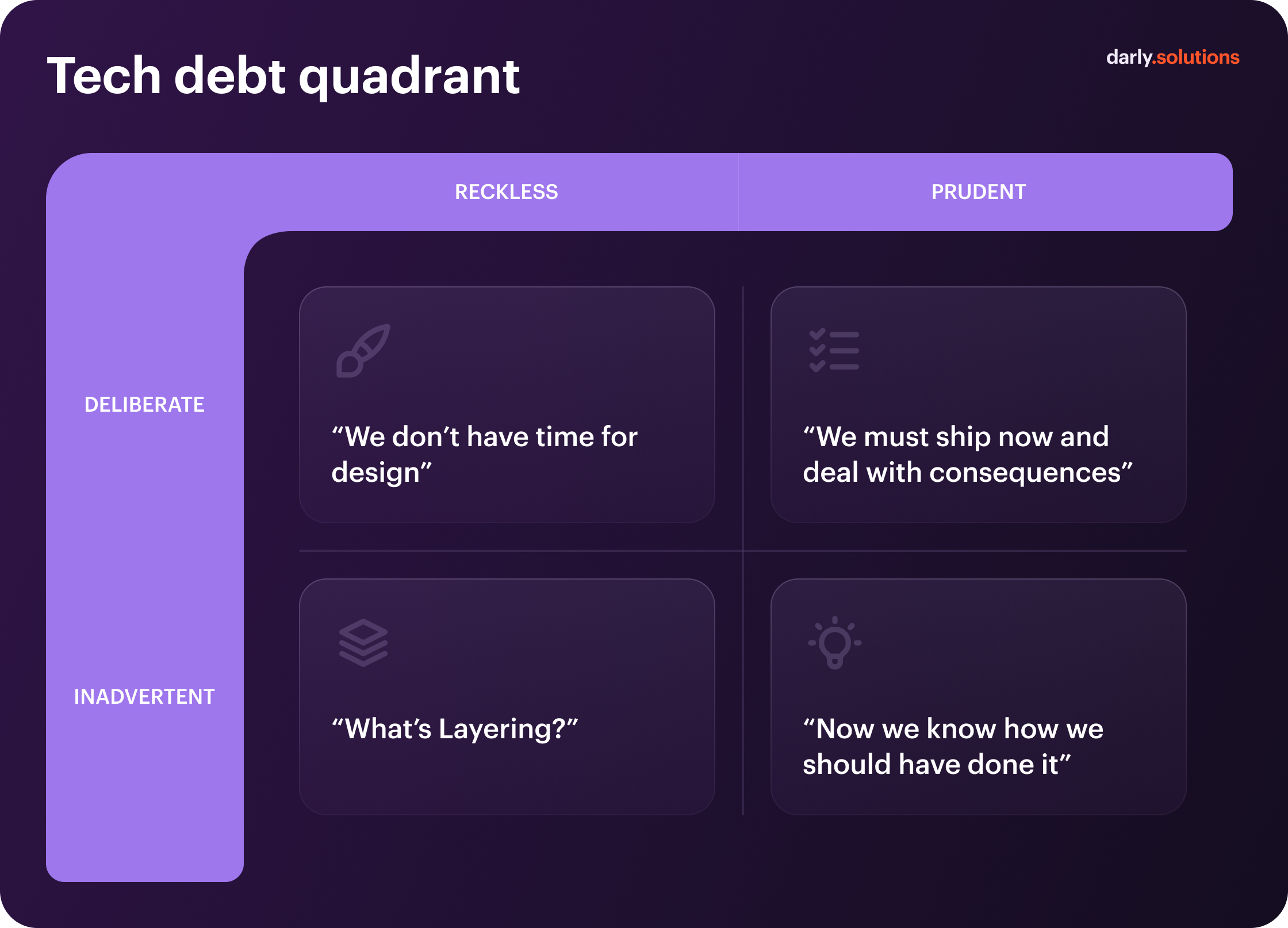
A simple sprint takes twice as long because of unexpected roadblocks. Documentation is still mostly non-existent. Even the smallest changes get complicated fast. Those are the telltale signs developers routinely create unintentional technical debt — and as we mentioned in our technical due diligence guide, that’s the bad kind of debt to owe.
Lack of Technical Expertise
You’re planning to add AI features to your product, but your existing team doesn’t know the first thing about custom AI model development. Or maybe you need experts in a specific industry, and your current vendor just doesn’t have it. So, understandably, you have to look elsewhere.
Development Costs Becoming Unpredictable
First, you were told this unit of working software would cost you $10,000. Then, the estimate ballooned to $15,000. Eventually, you paid $20,000. That’s a sign your vendor doesn’t have a solid grip on financial management.
Original Developers Are No Longer Available
Sometimes, developers tell you upfront: “We’ll ship the product, but we won’t be there for the long haul.” Sometimes, the ragtag team of freelancers that built your product’s first iteration moves on to other projects. Sometimes, the development company simply has a high turnover.
Product Has Outgrown the Current Team
Your developers are aces at MVP development, but they don’t have the know-how to scale a product beyond Series A. Or, the vendor simply doesn’t have the headcount to manage the product at its current scale, leaving developers overworked and burned out.
What Happens When You Hand Over a Product Built by an Unreliable Team?
Of course, not every project transition is a case of fleeing from an unreliable team. But it can happen. In that case, the team’s successors may have to deal with:
- Lack of documentation for the architecture, business logic, etc.
- Partially finished codebase or features
- Unintentional, reckless, undocumented technical debt
- Hidden dependencies
- Missing credentials
- Poorly planned infrastructure
Before another vendor can take over a software development project riddled with issues like these, you’ll need to take stock of those issues.
The product audit will reveal key blockers. Here’s how to take over an existing codebase after it:
- Stabilize the product
- Transfer ownership
- Prepare a development roadmap
- Kick off ongoing development with the new vendor
What Should Be Transferred to the New Development Team?
Repositories might be the first thing on your mind, but they’re far from the only thing you need to hand over during the transition to a new development team.
Source Code & Git Repositories
Hand over not just the source code as it is now, but also owner-level access to the version control system of your choice (GitHub, GitLab, or Bitbucket). It’ll allow developers to view:
- Active development branches (with documentation)
- Commit history
- Pull requests
- Repositories (backend, frontend, mobile, supporting)
Infrastructure & Cloud
Hand over root admin credentials for cloud infrastructure (AWS, Azure, Google Cloud) and hosting platforms. Make sure developers have full access to:
- Servers
- Containers
- All environments (development, staging, production)
CI/CD
Want your new team to use established deployment processes? Verify they can access and manage:
- CI/CD pipelines
- Release configurations
- Deployment scripts and workflows
- Build processes
- Rollback procedures
Databases
Your new developers will need full access to both staging and production databases, as well as:
- Database schemas
- Migration logs (if applicable)
- Backups and disaster recovery protocols
Credentials & Access
We’ve already mentioned access here and there, but let us reiterate: no software project handover would be complete without credentials. Here’s your checklist:
- Cloud accounts (AWS, GCP, Azure, etc.)
- Domains and DNS
- SSL/TLS certificates
- Email services
- API keys and authentication tokens
- Third-party services (e.g., payment gateways)
Monitoring & Analytics
Add access to the analytics, monitoring, and error-tracking toolchain to your software project takeover checklist. On top of that, hand over:
- Application logs
- Error logs
- Analytics history
Product Documentation
A documented product is one ready for project transition. Without documentation, onboarding will take months instead of days. Here’s what should be documented:
- Architecture
- Requirements
- Business logic
- APIs
- Database schemas
- Setup guidelines
Technical & Business Knowledge
In a similar vein, you need to transfer relevant technical and business knowledge during a software project takeover. That knowledge includes:
- Outstanding bugs
- Known product limitations
- Product roadmap
- Technical decisions and their rationale
- Customer-specific logic (if applicable)
Step 1. Perform a Technical Audit Before Takeover
No trustworthy vendor can give you a project takeover estimate or commit to a deadline if they have no idea what’s in the code. It’s how to take over a software project 101.
That’s why a technical audit of an existing product should precede any commitments. It’ll reveal where the bodies are buried, so to speak. Here’s what it should include:
- Architecture review and risk identification
- Codebase review and health assessment
- Database performance and data structure assessment
- Internal and external dependency audit
- Security audit and gap analysis (authentication, authorization, secrets, etc.)
- Infrastructure, deployment, and CI/CD review
- Test coverage evaluation
- Monitoring and incident response capability assessment
- Technical debt inventory and prioritization
Step 2. Prepare Product & Technology Roadmaps
The new team will need to understand your business goals and how the technology stack serves them during project transition. So, verify that your product and technology roadmaps are up to date.
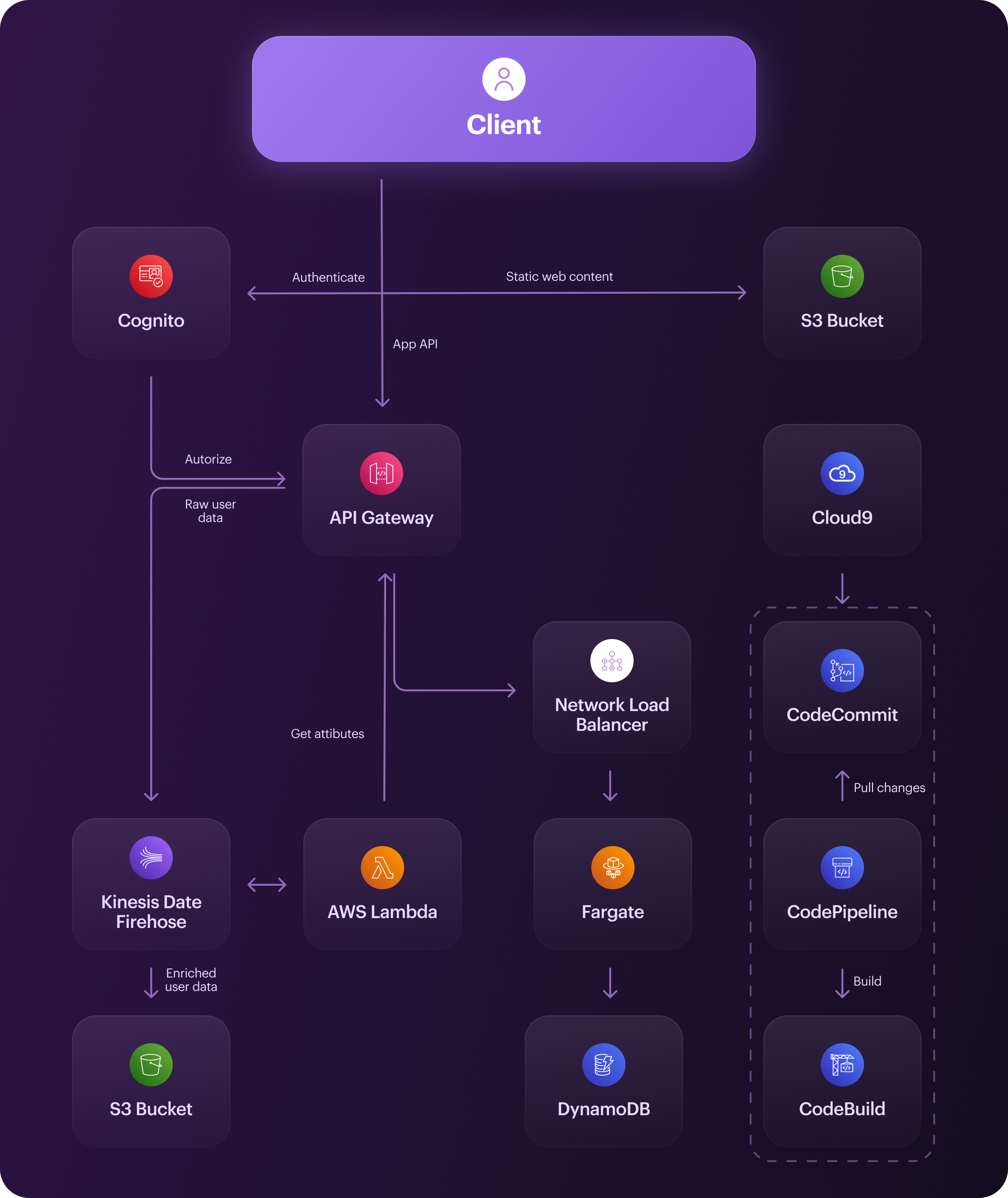
In addition to that, to speed up onboarding, prepare diagrams for:
- Software architecture
- System architecture
- Integration architecture
- Deployment architecture
- DevOps architecture
- Frontend and backend architectures
- Data architecture
- Cloud architecture
Step 3. Evaluate Technical Debt & Hidden Risks
High architectural debt can slow issue resolution time down by as much as 30%. So, ideally, you should allocate 20% of engineering time to repaying tech debt. But to do that, your new team has to know what that debt is. It can include:
- Outdated dependencies and libraries
- Duplicated code
- Insufficient test coverage
- Hardcoded values (including credentials, keys, and secrets)
- Incomplete, missing, or outdated documentation for integrations
- Architecture that doesn’t meet current or future requirements
- Inconsistent coding standards
- Tightly coupled components
- Known or hidden security vulnerabilities
- Performance bottlenecks and scalability issues
Don’t try to repay all that debt in one go after a software handover. Instead, sort your tech debt items into four buckets by importance — Critical, High, Medium, and Low — in your software project handover document. To that end, consider:
- The cost of fixing the debt
- The impact of fixing it (business outcomes)
- The impact of not fixing it (blocked new features or updates)
Step 4. Transfer Product Knowledge, Not Just Documentation
Documentation won’t tell the new team everything they need to know about the product. They also need to understand why the product is built the way it is, where its development is headed, and what the roadblocks are.
The problem is that much of this knowledge can be implicit, i.e., undocumented. So, get the outgoing team to sit down with the new one for a proper development team transition. It should cover:
- Architecture, product, deployment walkthroughs
- Business logic
- Troubleshooting
- Known issues
- Roadmap
- Stakeholder context
Wondering how to take over a project from another development team without missing a thing? Keep track of knowledge transfer in a matrix like this:
Step 5. Set Up Independent Access & Ownership
If your current development partner is still in total control over the infrastructure and accounts, that has to change before the software project takeover.
First, make sure you own both the infrastructure and accounts, not the vendor. Then, as you transition the project, give the new team full access to:
- Source code repositories
- Cloud infrastructure
- Domains and DNS settings
- Databases
- CI/CD pipelines
- Monitoring and analytics tools
- Third-party APIs
- App store accounts
- Certificates
- Secrets
Step 6. Reproduce the Development Environment
Your new developers won’t be able to start coding without the development, staging, and production environments. So, they’ll have to set up these environments based on the provided documentation.
Here’s what to test before the first deployment as part of your IT project transition plan:
- Local setup
- Staging
- Production
- Environment variables
- Dependencies
- Build processes
- Database migrations
Once all is said and done, your new team should be able to build the application without needing help from their predecessors.
Step 7. Make the First Deployment With the New Team
Can your new team safely ship new features and updates? That should be the next question on your software handover checklist. Be warned: just having access to all tools and accounts doesn’t automatically mean the answer is “yes.”
So, start with a trial run. Have the new team make the first deployment and check:
- CI/CD processes
- Staging and production deployment
- Rollback and incident response procedures
- Monitoring and logging
Step 8. Stabilize Before Starting Major Development
Once everything is in place, some make the mistake of heading straight into developing new features or rewriting the product. But in most cases, products need to be stabilized first.
Here’s what your first backlog after the software project takeover should be dedicated to:
- Fixing critical bugs and security issues
- Solving production incidents and deployment issues
- Removing performance bottlenecks
- Mitigating infrastructure risks
Taking Over a Software Project: The First 30 Days
Every software project takeover is different. Some can be done in a couple of weeks; others take months because nothing is documented and the previous team disappeared into the ether.
That said, we prepared a project transition plan template to illustrate its key phases in a best-case scenario:
Software Project Handover: Your Checklist
Head swimming with everything you have to do to switch development teams? We’ve prepared a software project handover checklist to help you stay on track — without missing a thing.
Here’s how to transition a software project to a new team in three phases.
Before
Common Mistakes When Switching Development Teams
In an ideal world, every software project handover would go quickly and smoothly. Alas, that doesn’t always happen — and sometimes, it’s because product owners make one of these eight mistakes.
Starting Development Before the Audit
Kicking off feature work without a complete audit is like walking into a pitch-black room instead of turning on the lights. Your codebase may be in worse shape than you think. The architecture may not be able to sustain new features or further growth.
Assuming the Documentation Is Complete
If you don’t verify the documentation before ending cooperation with the previous team, you might be in for a bad surprise. If it’s incomplete or outdated, the new team may need to reverse engineer the architecture and business logic from the code.
Treating the Repository as the Entire Product
Asset handover in software takeover does not boil down to the repository. Without the technology roadmap or architecture diagrams, developers will have to look for answers in the code, pester stakeholders with questions, or make assumptions.
Letting the Old Team Keep Critical Access
If you forget about their access, in the best-case scenario, former developers can see what you’re doing after the software project takeover. Worst-case scenario, they may inadvertently (or intentionally) mess with your code or configurations.
Rewriting the Product Too Early
Yes, you might be looking into how to change software development companies because rewriting the product is the only way to salvage it. It does happen — just not in 100% of cases. Most of the time, however, you can save the product with targeted improvements.
Ignoring Infrastructure
If the codebase is your product’s internal organs, the infrastructure is the body that holds them together and protects them against outside threats. If you overlook its importance, you may end up with access issues, security risks, and delayed releases.
Not Testing Deployment Independently
It’s tempting to trust the initial team’s word that deployment works just fine. But if you don’t test it yourself, you might not realize test scripts had to be run in a specific order that the old team forgot to tell you about.
Focusing on New Features Instead of Stabilization
As we highlighted in our software project takeover checklist, you have to remove critical security vulnerabilities or performance bottlenecks first. Otherwise, you’d just continue building a house of cards on a shaky foundation.
When Should You Rewrite vs. Improve the Existing Product?
Don’t treat taking over a software project as an excuse to rewrite the product. Yes, some products may warrant a complete rewrite. But others can be improved with targeted fixes.
Improve the existing product if:
- Architecture works fine or can be salvaged with minor tweaks
- Business logic meets your needs and works as intended
- Test coverage is sufficient
Partially rewrite if:
- Core components have tons of issues
- You have major technical debt on hand
- Some modules are unusable
Opt for a total rewrite if:
- Architecture has fundamentally failed
- You can’t scale the product as needed
- Maintenance is too complicated because the foundation is compromised
How Much Does a Software Project Takeover Cost?
That’s a loaded question, and we’d advise you to take any hard figures you see online with a grain of salt. The thing is, the cost of software project takeover services depends on a lot of factors, such as:
- Application complexity
- Code quality
- Available documentation
- Infrastructure setup
- Transition requirements
- Stabilization requirements
- Ongoing development roadmap
If you need a software development team to perform a technical audit, that will also add to the software project takeover costs.
When Is a Software Takeover Better Than Starting From Scratch?
Some products can’t be salvaged; they can only be rebuilt from the ground up. For others, a rebuild is too risky.
Opt for a software project takeover if:
- Your product is already live and has an active user base
- Its business logic is valuable as-is
- You can salvage existing architecture
- A complete rebuild would take too long
- Historical data is too important to be discarded
A rebuild is usually a better option if:
- Your product can’t grow because of the architecture
- You experience chronic security issues
- The codebase is unmaintainable
- Product requirements have changed completely


FAQ
The timeline will depend on the current state of your product, its documentation, and your initial team’s willingness to cooperate. A software project takeover can take 4 to 8 weeks in simpler scenarios — or stretch out to 6+ months in tougher cases.
If you don't know what to ask when taking over a software project, we’d suggest starting with a product and architecture walkthrough. It can involve discussing the product’s logic, roadmap, deployment processes, known issues, and compliance requirements.
Yes, but it will be a long, painful process. The team will have to reverse engineer the architecture and business logic from the code, which takes a lot of time and effort.
We recommend adding a technical audit to every project transition checklist. It reveals hidden risks and issues. It helps identify root causes behind systemic problems. Its findings also inform the future roadmap and help onboard new developers faster.
The client should own the code and cloud infrastructure at all times, not just during the transition. If that’s not the case, transfer ownership before switching vendors.
Such a project handover in software development would be difficult — but not impossible, especially if you have access to key assets and documentation is fairly thorough. If documentation is non-existent, the new team may need to reverse engineer the code first.
Ideally, yes. They should be there to meet with new developers, walk them through the product, answer their questions, and impart their implicit knowledge.
You can consider a handover in software projects done when: 1) developers have all the knowledge they need to work on the product, 2) trial deployment has passed all tests, 3) the project has a clear scope, budget, and timeline.
Related articles


Data-Driven Product Strategy: How to Implement AI Modules That Actually Impact P&L

-%2520True%2520Milestone%2520and%2520Upgrade%2520for%2520MedServices.webp)
Connect with us
.webp)
We are a tech partner that delivers ingenious digital solutions, engineering and vertical services for industry leaders powered by vetted talents.

